
I write blog articles with AI almost every day. I have far more topics than I can use, but each one has to match the theme of the site I run and what its readers care about, so I write against data from Kafkai. Sometimes Kafkai tells me to leave the new article alone and update an older one instead.
The style and the phrasing are already learned from the data I fed it, so I describe the theme and the direction I want, and a draft comes back. The Kafkai prompt examples show what those instructions look like. I covered where AI writing actually stands in an earlier article.
This time I added the Shodo API (the site is in Japanese) to the last stage of that process, the part where the draft gets finished.
Why I Chose Shodo
Simon Willison's llm is a command-line tool, and its strength is that you can pipe it into other processes. I use it constantly. It calls a model straight from the shell, without a Python script in between, and switching models is a single flag. I wrote about running LLMs locally some time ago.
Register a tool with llm and it can proofread the text once the model has written it. The Vibe Coding habit of chaining command-line tools together applies to small automations like this one. Shodo publishes a public API, so I wrote a tool that calls it.
One condition to know before you start: Shodo's API is for personal or non-commercial use only.
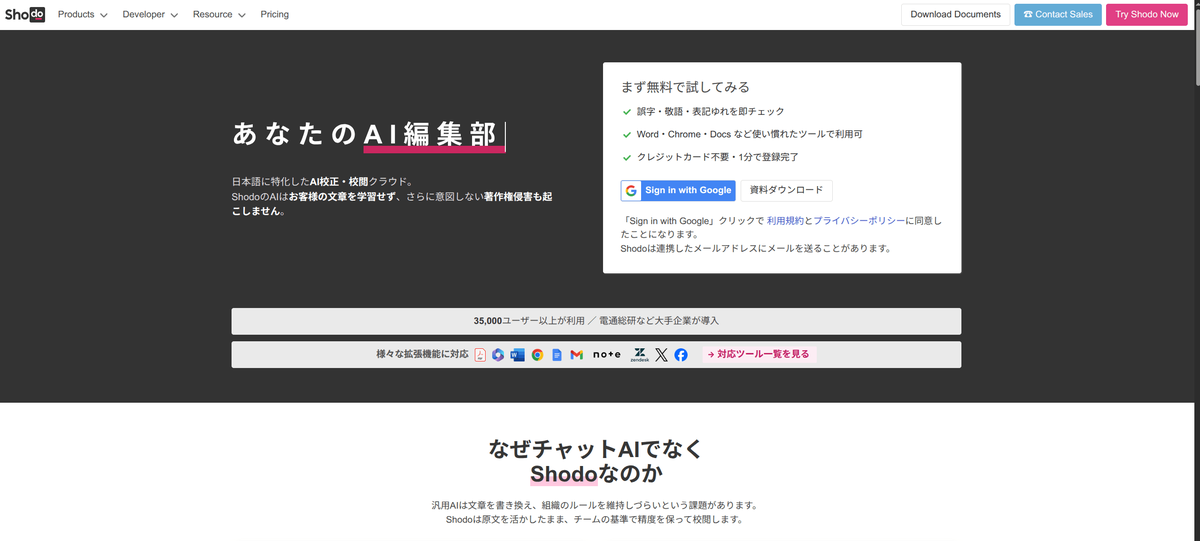
Shodo itself is an AI proofreading service from Zen Products. The Premium plan (in Japanese) starts at ¥1,000 a month and proofreads up to 40,000 characters per run. It also covers the rest of the writing workflow: real-time checking as you type, collaborative editing, review features, and WordPress integration.
My reasons for picking it were simple. It has an API, its Japanese proofreading is accurate, and it is made by people from a community I am part of.
How to Build the llm-tools-shodo Plugin
I built a plugin that talks to the Shodo API and published it on PyPI.
pip install llm-tools-shodo
You can install it from PyPI.
The plugin itself is simple. It defines a function named shodo_proofread and registers it with llm's tool registry. Inside, the function POSTs the text it receives to the proofreading API, then applies the fixes that come back.
The Shodo API is asynchronous. You POST the text, get a lint_id back, then GET the result with that ID. The endpoint looks like this:
https://api.shodo.ink/@{organization}/{project}/lint/
Authentication is a Bearer token, issued from the project's settings page.
Each response carries the type of issue, where it sits in the text, the suggested replacement, and a confidence score. Fix everything marked severity: error. warning depends on context. info is background.
My plugin applies the high-scoring suggestions automatically, and leaves the ones that need a human decision in a list. I did not want it running unattended. A person still checks the final text.
Using It as a Tool
After installing, llm tools confirms that the tool is registered.
$ llm tools

shodo_proofread(text: str) -> str (plugin: llm_tools_shodo)

  Proofread Japanese text with the Shodo AI proofreading API and return the corrected text.

      Pass the full Japanese text exactly as the user gave it. The tool sends it to Shodo,
      applies every confident suggested fix automatically, and returns the corrected text plus
      a list of the changes and of the remaining issues that have no automatic fix.
Then you name the tool explicitly and let it proofread.
$ llm --tools-debug --chain-limit 10 --tool shodo_proofread "Use all the tools that you have and fix this sentence: 雨が降っているので傘を開ける。風邪を引きそうなので薬を食べる" -m gemma4:12b

Tool call: shodo_proofread({'text': '雨が降っているので傘を開ける。風邪を引きそうなら薬を食べる。'})
  CORRECTED TEXT:
  雨が降っているので傘をさす。風邪を引きそうなら薬を飲む。

  APPLIED FIXES (2):
  - 1:12 [error] もしかして 「開ける」→「さす」
  - 1:27 [error] もしかして 「食べる」→「飲む」

  ISSUES WITHOUT AUTOMATIC FIX (0):
  - none

The corrected sentence is:

**雨が降っているので傘をさす。風邪を引きそうなら薬を飲む。**

### Explanation of changes:
1.  **傘を「さす」 (Sasu):** In Japanese, the verb for opening/holding an umbrella is **さす**. While "開ける" (akeru) literally means "to open," it is used for things like doors, boxes, or windows. For umbrellas, "さす" is the correct idiomatic expression.
2.  **薬を「飲む」 (Nomu):** In Japanese, medicine is "drunk" (**飲む**) rather than "eaten" (**食べる**). Even if the medicine is in pill form, "飲む" is the standard verb used for taking medicine.
--chain-limit caps how many times tools can be chained together when several of them are in play. I do not need it for this sentence, but I set it out of habit.
That example is the useful part. "Open an umbrella" and "eat medicine" translate word for word into 「傘を開ける」 and 「薬を食べる」, and both are wrong. Japanese verbs come in collocations, pairings that sound right together and that a dictionary will not give you, and the model corrects them mechanically. For someone learning the language, it is also a chance to see why the mistake is a mistake.
Proofreading a File
The plugin takes a file as well.
$ llm shodo [FILE]
For example:
$ cat test.txt
先生に、明日に課題にみていただきます。
先生、私の宿題を拝見していただけますか。
$ llm shodo test.txt
先生に、明日に課題をみていただきます。
先生、私の宿題を拝見していただけますか。
APPLIED FIXES (1):
- 1:10 [error] もしかして 「に」→「を」

ISSUES WITHOUT AUTOMATIC FIX (0):
- none
$
One caution: hand a large file straight to the API and you may hit the character limit. 40,000 characters is the maximum for a single request, so splitting a long document is the safer route.
When to Use Shodo, and When Not To
Shodo is not a universal tool. Here is where it fits and where it does not.
Where Shodo Fits
Shodo suits you when you want the writing workflow in one place. Drafting, review, status tracking, and publishing to WordPress all happen in the same tool. For a team blog, the collaborative editing is not optional: several people can comment on the same draft before it goes out.
It also suits you when you want to call it from your own system. You can drive it from the shodo command or the REST API, which is how I use it from llm. Keep the licence in mind, though: personal or non-commercial use only.
Real-time checking is the third strength. It flags typos in the browser as you type, which takes some of the friction out of writing.
Where Shodo Does Not Fit
If you want to avoid any setup cost, try a free service first. Shodo's Premium plan is ¥1,000 a month, but there are options that proofread long text for free.
If you need to polish how a sentence is phrased, or to unify the way words are written across a document, Bunken is the better fit. It offers alternative phrasings from more than 3,500 registered expressions, and it will also report the ratio of kanji in your text and read it aloud.
If you need to work offline, Shodo cannot help. It is a cloud service, so it needs an internet connection. For documents with strict security requirements, look at installed software such as Just Right! or Press Term.
If you want to embed it in a commercial system, read the licence first. The Basic plan's proofreading API is limited to non-commercial use. A subscriber can use it commercially on Premium and above, but putting it inside your own product or an internal system needs a separate API plan, which starts at ¥40,000 a month. A personal blog or a non-profit project does not run into this. A company's business system does.
How Shodo Compares with Other Proofreading Services
Here are the main services side by side. The prices are from our own research as of October 2026 and include consumption tax. Check each service's own page for the current figures. Every service in this table is built for Japanese writers, so its site is in Japanese.
| Service | Price | Character limit | Strengths |
|---|---|---|---|
| Shodo | Free to ¥1,000/month | 10,000 characters per run free, 40,000 per run paid | API, collaborative editing, real-time checking |
| Bunken | No setup fee, from ¥1,650/month on an annual contract | 50,000 characters | Word and phrasing suggestions, AI assist, shared dictionaries |
| Enno | Free | No limit, about 8,000 characters recommended | Free proofreading of long text, no sign-up needed |
| PRUV | Free with limits, up to ¥550/month | 1,000 characters free, 50,000 paid | Good at ら抜き言葉 (食べれる for 食べられる) and double honorifics |
| ATOK Cloud Checker | ¥660/month | 10,000 characters | Works with ATOK, simple to operate |
| Typoless | From ¥2,200/month | From 50,000 characters | Asahi Shimbun proofreading rules, flame-risk check |
| Press Term | ¥38,500, one-off | 16,000 characters | Ships with the Kyodo News reporters' handbook, works offline |
My current workflow is this. Kafkai produces the draft, llm tidies the format, Shodo catches the typos and conversion errors, and Bunken handles the phrasing at the end. I do not hand the whole job to one tool. Each one does what it is good at. That idea of keeping the human as the final decision maker is the same one I wrote about in the limits of AI detection tools.
Proofreading as a Way to Learn Japanese
If Japanese is not your first language, Shodo plus a large language model also works as a study tool.
Write the sentence yourself first. Run it through Shodo next. Then ask the LLM to explain why the correction was needed. You end up understanding the grammatical reason, not just the corrected typo, which makes the same mistake less likely to return.
Collocations are the hard part. Native speakers take them for granted, and learners cannot see why 「薬を食べる」 is wrong and 「薬を飲む」 is right, or why 「傘をさす」 sounds natural where 「傘を開ける」 does not. A dictionary will not tell you that. Have the LLM explain the marks Shodo left, and the rule turns into something you can say out loud.
A Note About the Community
Shodo's founder is Hiroki Kiyohara (hirokiky) (his blog is in Japanese). He also started DjangoCongress JP, one of the largest Django conferences in Japan. The Django Software Foundation featured him as its member of the month in January 2025.
The first DjangoCongress JP ran in 2018. His own write-up of that event (in Japanese) gives the size of it: about 100 attendees, 12 speakers, and around 15 staff. He set the direction at the kick-off meeting: build the smallest event that would work, and get everyone involved in making it good. No lunch service, no party, no tutorials or hands-on sessions, no sponsor booths, no poster talks, no video streaming, no simultaneous interpretation. All of it was left out on purpose. Attendees got a lunch map instead, and were asked to go and eat wherever they liked.
He calls this 「無い効果」, the effect of absence. Knowing that a talk will be streamed, he points out, makes it easy to tell yourself you can nap through it and watch it later. Take the recording away, and people pay attention to the room they are in. His summary of it is that when the organisers provide too much, the attendees stop being participants.
I see that thinking in how Shodo is built. It does not pile on features, and it keeps to what writing actually needs. I develop with Django myself, so I am cheering him on as a member of the same community.
Wrapping Up
Building Shodo's API into an llm tool automates Japanese proofreading from the command line. Within personal and non-commercial use, you can start for free, which is part of the appeal.
The last mile still needs a person. Do not accept every suggestion as given. Read the sentence around it before you apply the fix. For phrasing work and for consistency of spelling, which Shodo does not cover on its own, consider running the text through something like Bunken as well.
Technical checking and human judgement together are what lift the quality of the writing.